INTERNATIONAL REGISTRATION
How to Register and Shop with RIMAN
A simple guide to choosing your market, confirming your promo code and shopping the official RIMAN catalog available in your country.
SHOP IN YOUR COUNTRY
One registration link, multiple countries and languages
After you get the promo code pangrace, the official RIMAN website lets you choose your country or region and an available language. Your local product selection, price, availability and delivery options are then shown by RIMAN for that market.
Find your country guide and official store →
Available markets include the United States, Canada, the United Kingdom, Ireland, Germany, France, Spain, Italy, Romania, Japan, South Korea, Taiwan and other supported countries.
VISUAL GUIDE
What to look for on the official website
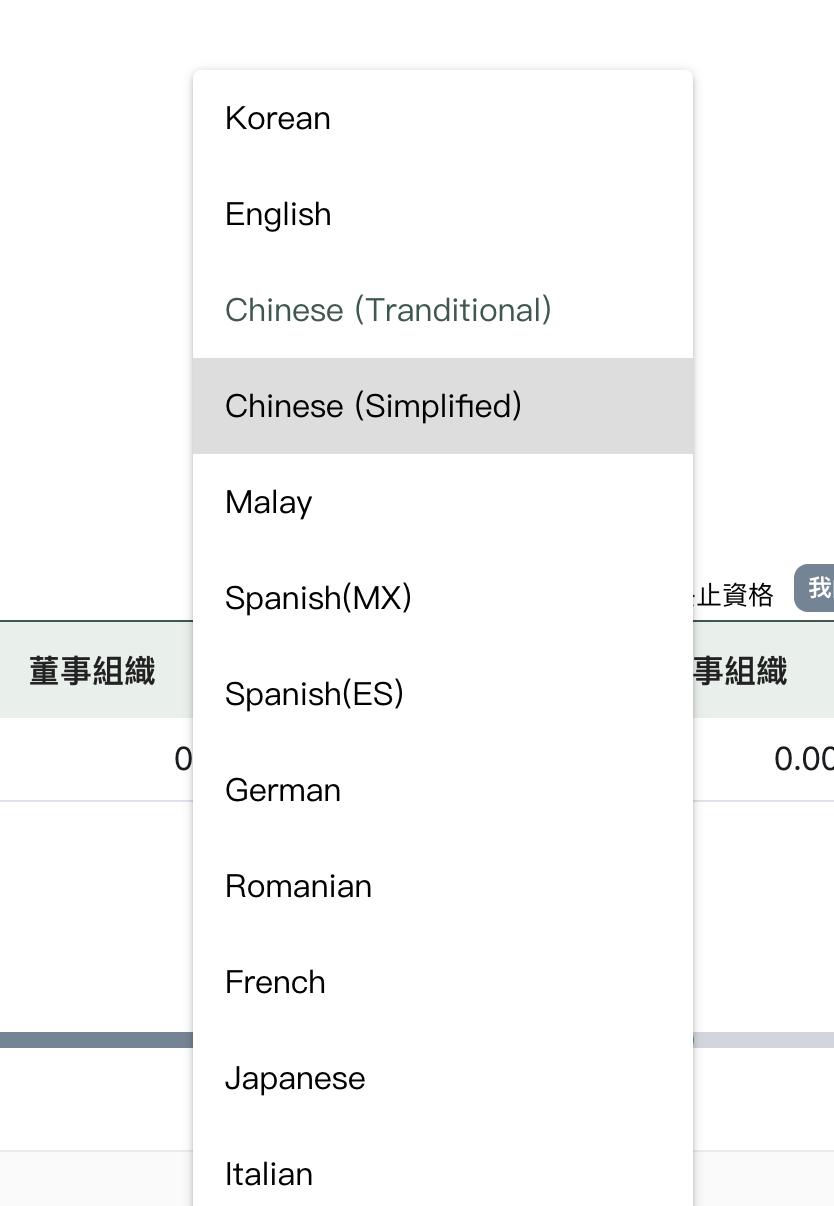
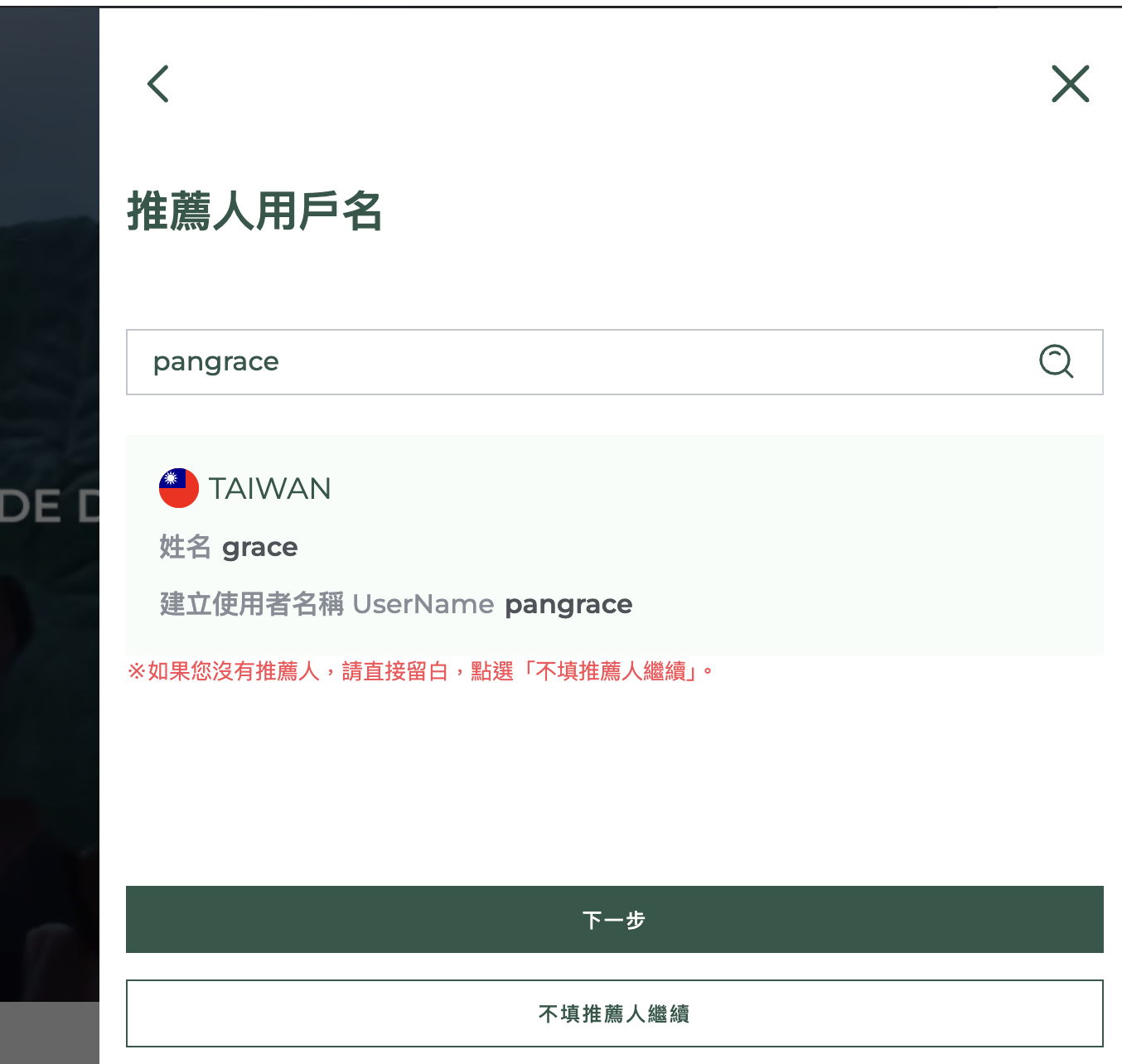
The official RIMAN screen may look slightly different depending on your country, language or future website updates.
REGISTRATION FLOW
Six clear steps from registration to shopping
- 01
Copy the PRETTYOFFICE Promo Code
Copy pangrace before opening the official RIMAN registration website.
- 02
Choose Your Country or Region
Select the country or region where you will receive your order.
- 03
Choose Your Language
Select one of the languages available for your chosen market.
- 04
Confirm pangrace
Make sure pangrace appears on the official page before continuing.
- 05
Complete Registration
Finish your account details on the official RIMAN website.
- 06
Shop Your Local Catalog
RIMAN will show the products, prices and delivery options available in your selected country.
PRETTYOFFICE provides product guidance. Registration, checkout, payment, availability and delivery are handled by the official RIMAN website.
READY TO BEGIN?